Gmail, but calm.
A quiet, full-screen inbox with Superhuman-style shortcuts and a ⌘K command palette. Free forever, and it lives right inside the Gmail you already use.
- Free forever
- Works inside Gmail
- Your data stays in your browser
Free · Runs in your browser · Chrome 120+
Superhuman-grade speed. Zero dollars.
$0 vs $30/mo
Everything the keyboard crowd loves, without the subscription.
No sign-up
Install it and fly. Core features need zero account.
Runs client-side
Nothing leaves your browser. One permission, no servers.
Lives in Gmail
No new app to learn. Same inbox, finally calm.
Five quiet upgrades to your inbox.
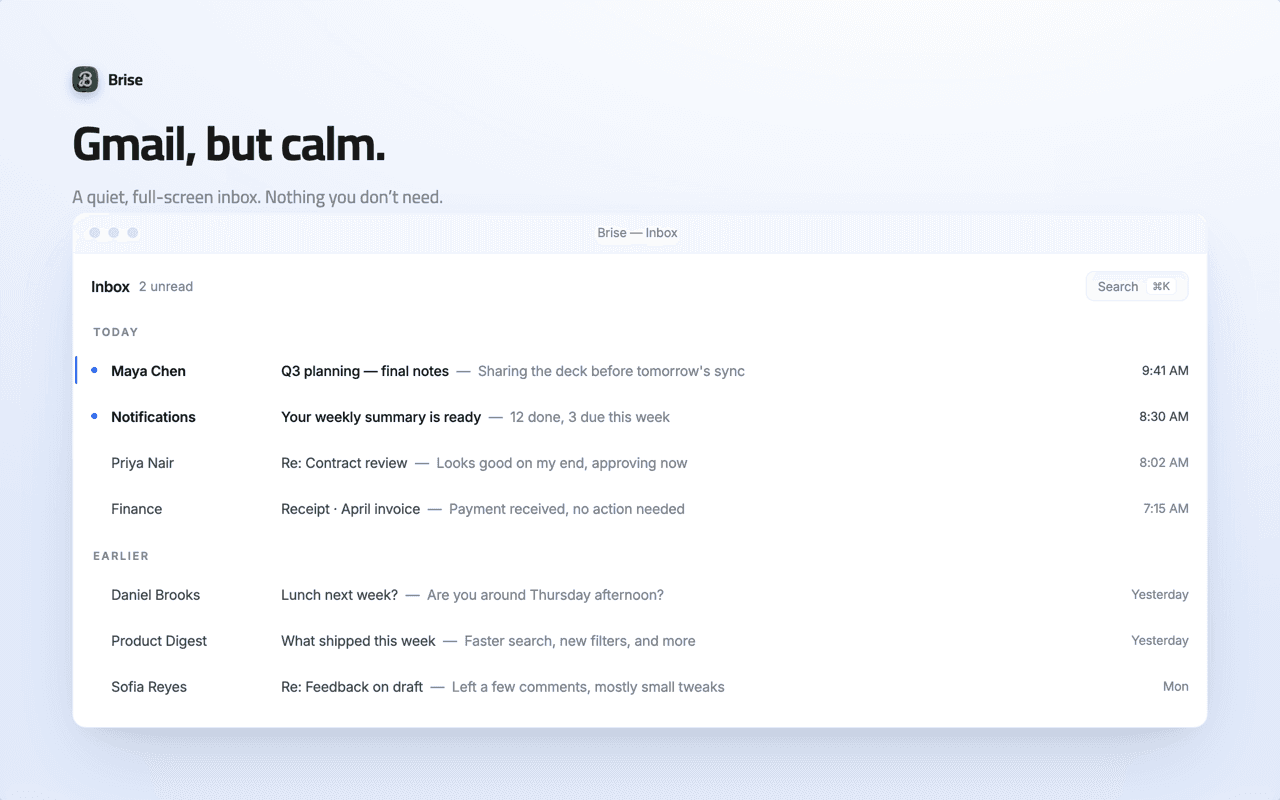
Gmail, but calm.
A quiet, full-screen inbox with nothing you don't need. We strip away the noise so the only thing left is the message in front of you.
- Full-screen, distraction-free reading
- Clutter and chrome dialed down
- The same Gmail underneath — nothing moved, nothing lost
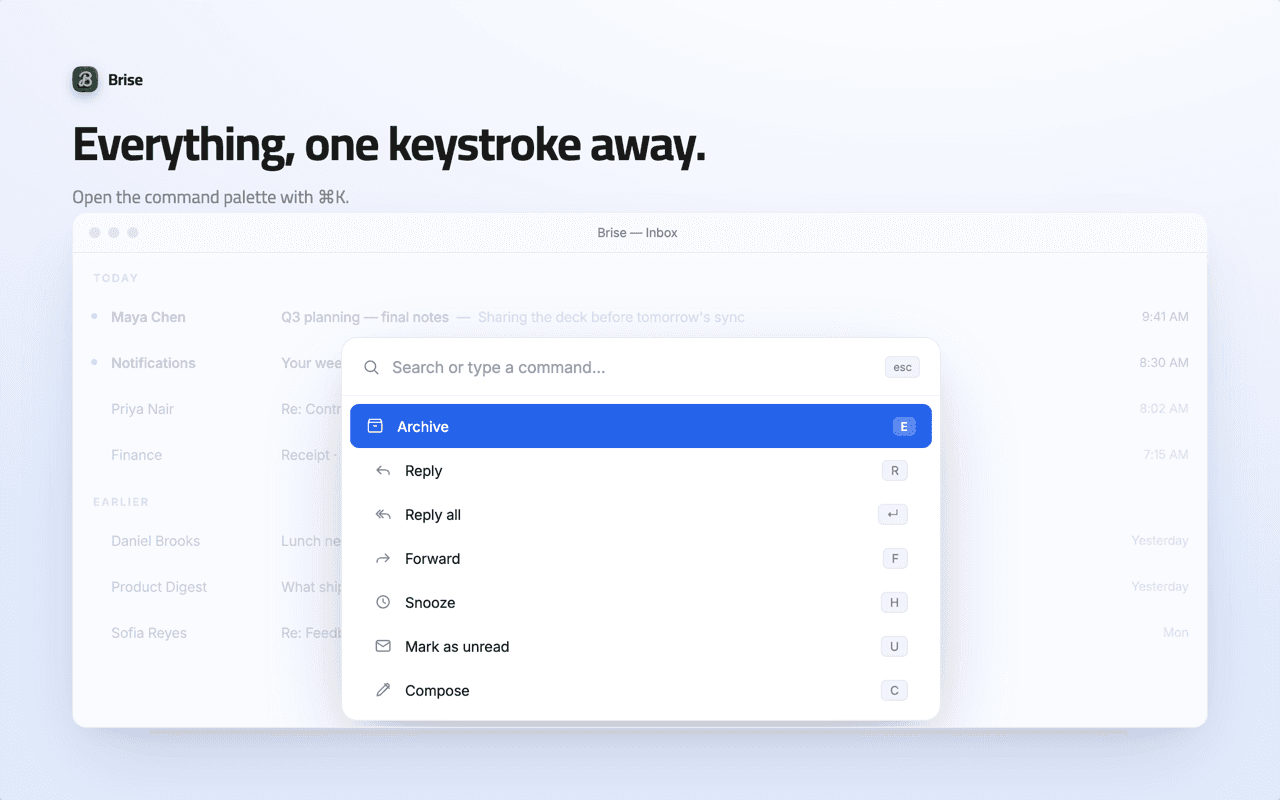
Everything, one keystroke away.
Open the command palette with ⌘K and just type. Search, archive, snooze, compose, jump — every action you need without ever leaving the keyboard.
- ⌘K from anywhere in your inbox
- Type what you want, hit enter
- No menu-hunting, no mouse
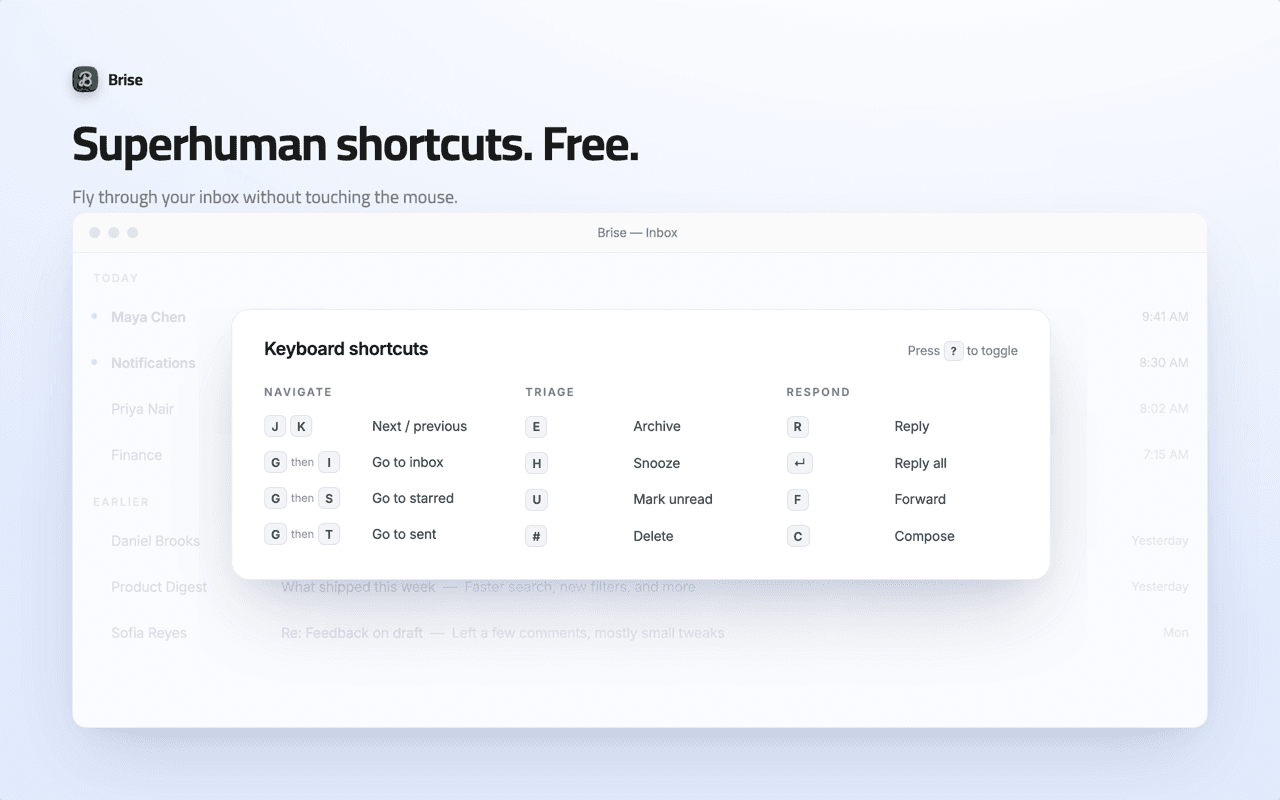
Superhuman shortcuts. Free.
Fly through your inbox without touching the mouse. The shortcuts power users pay for, built right into Gmail.
- Move, archive and snooze in a keystroke
- Reply, compose and delete without the mouse
- Toggle the help sheet anytime
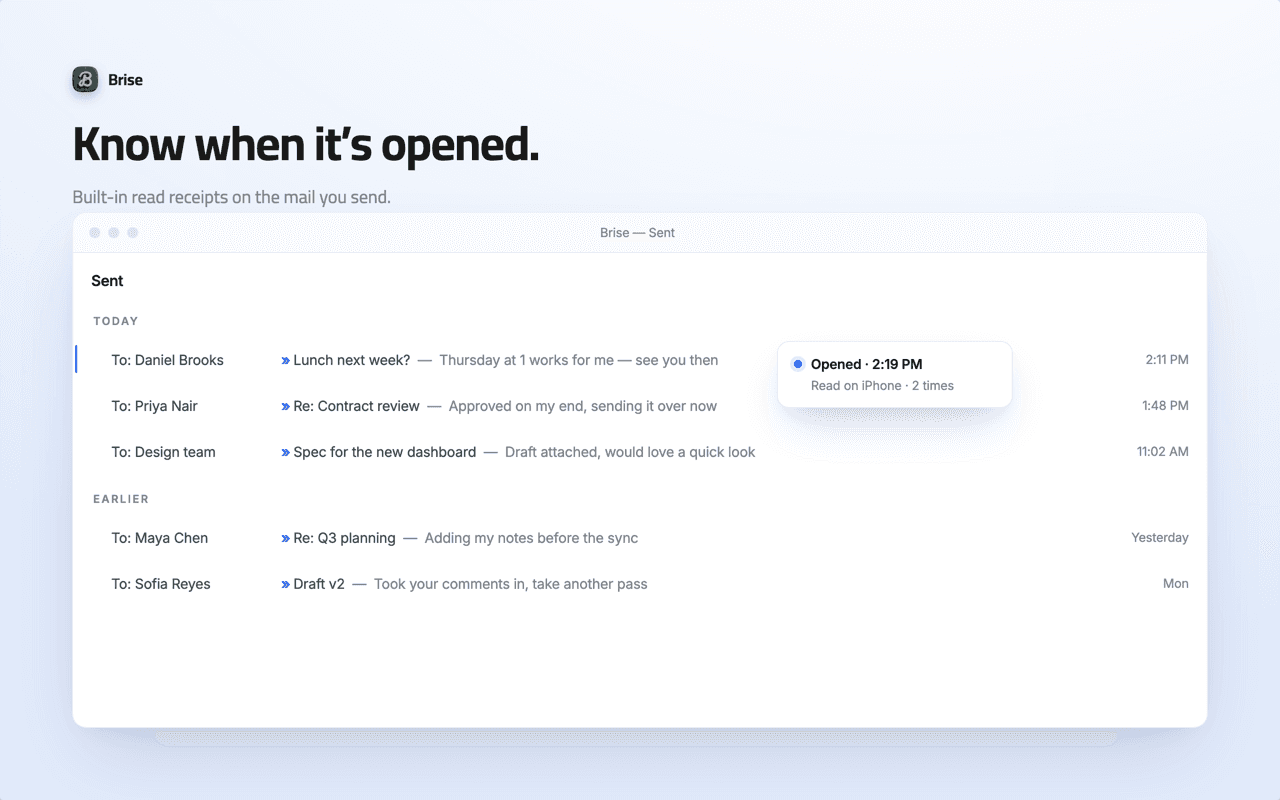
Know when it's opened.
Built-in read receipts on the mail you send, so you're never left wondering. On when you want them, off when you don't.
- See when your message is opened
- Toggle it per send — fully optional
- No tracking pixels for anyone but you
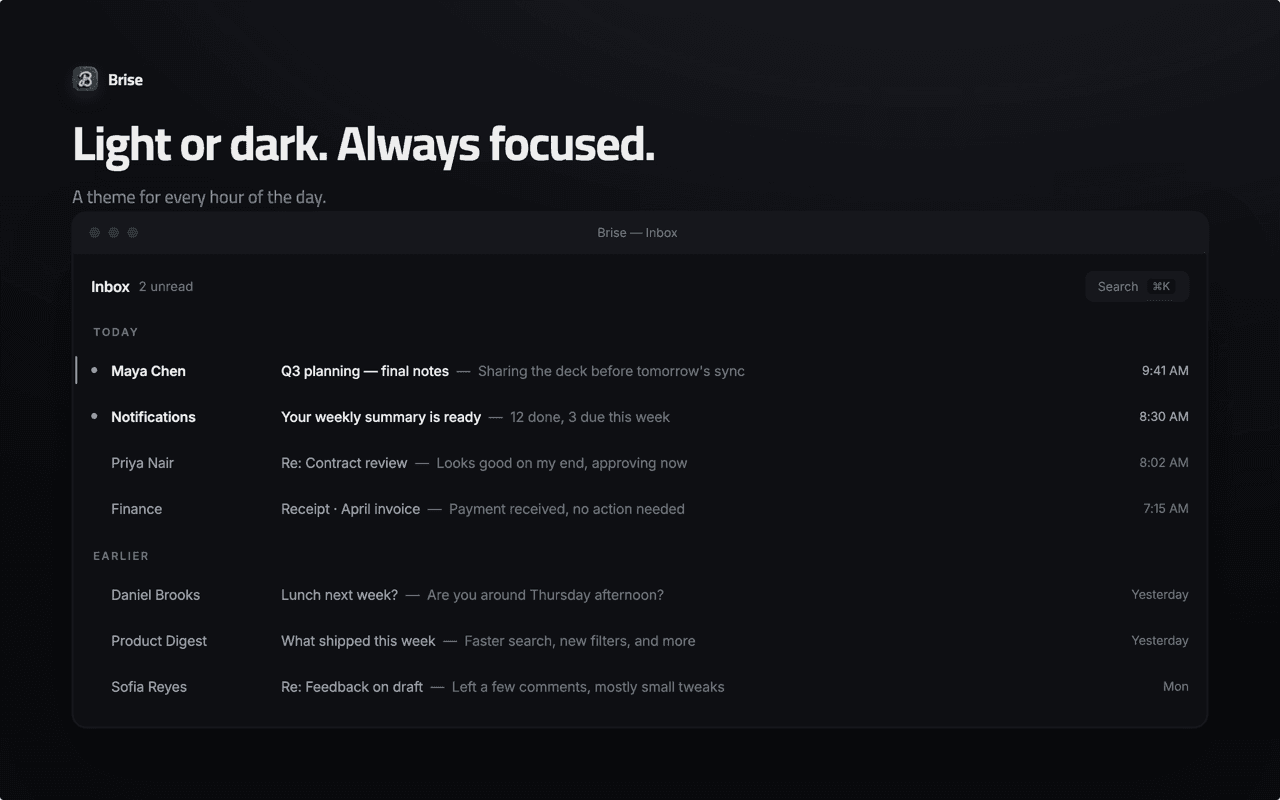
Light or dark. Always focused.
A theme for every hour of the day. Bright and crisp at 9am, easy on the eyes at midnight — your inbox, your light.
- Clean light mode for daytime focus
- Gentle dark mode for late nights
- Switch in a keystroke, no reload
Install Brise. Keep your Gmail.
No account, no setup wizard. Download, load it into Chrome, and your inbox is calm. Here's the whole thing:
- 1
Download Brise
Grab the .zip and unzip it to a folder you'll keep.
- 2
Load it into Chrome
Open chrome://extensions, turn on Developer mode, click Load unpacked.
- 3
Open Gmail, press ⌘K
Brise is already working. Your inbox is calm.
Brise isn't on the Chrome Web Store yet, so you'll load it directly. It's the same trusted install developers use — and it's why we can ship it to you today, free.
- 1Download the Brise .zip and save it somewhere you'll find it.
- 2Unzip the folder.
- 3Open in a new tab.
- 4Flip on Developer mode (top right).
- 5Click Load unpacked and select the unzipped folder.
- 6Open Gmail — Brise is already working.
Keep the folder. Brise loads from the unzipped folder — deleting it removes the extension. Works in Chrome 120+ (Chrome, Arc, Brave, Edge).
That's it. Brise runs entirely in your browser, so nothing to sign up for and nothing to send anywhere. Don't love it? Remove it in one click and Gmail is exactly as you left it.
Prefer one-click? Brise is coming soon to the Chrome Web Store — leave your email below and we'll tell you the moment it's live.
Tip: after loading, open Gmail and press ⌘K.All the speed. None of the bill.
| Feature | BriseFree | Superhuman$30/mo | Plain Gmail |
|---|---|---|---|
| Price | Free forever | $30/mo | Free |
| Keyboard shortcuts | Full Superhuman-style set | Basic | |
| Command palette (⌘K) | |||
| Decluttered, full-screen UI | |||
| Read receipts | Built in, optional | ||
| Light & dark themes | Limited | ||
| Sign-up required | No (core features) | Yes (account) | Yes (account) |
| Where it runs | In your Gmail | Separate app | — |
| Your data | Stays in your browser | On their servers | On Google |
Superhuman is a great product — we just think keyboard-first email shouldn't cost $360 a year. Pricing as of 2026.
Frequently asked questions
Yes — free forever, no trial, no card, no per-seat fee. Brise is a free alternative to the $30/mo keyboard-first inboxes, built by Claap.
Yes. Brise runs entirely client-side, inside your browser. It asks for a single storage permission to remember your settings — that's it. We never see your email.
Effectively none. Your messages never leave your browser. The only thing that ever leaves is an optional read-receipt ping when you choose to send a tracked email — and only you see the result.
If you use Gmail in Chrome, it works. Personal Gmail and Google Workspace accounts both supported — Brise layers on top of the inbox you already have, nothing migrates.
No. Brise is a lightweight MV3 extension that decorates Gmail rather than replacing it. If anything, a calmer, full-screen inbox feels faster.
When you enable a receipt on an outgoing message, Brise adds a tiny signal that pings back when the email is opened, so you can see it was read. It's optional and off unless you turn it on — and the result is visible only to you.
Coming soon. For now you can install the .zip directly in about a minute (see "How it works"). Leave your email and we'll tell you the moment the one-click version ships.
Anytime, in one click — chrome://extensions, remove Brise, done. Your Gmail returns to exactly how it was. No lock-in, ever.
Your inbox, finally calm.
Superhuman-style speed, a ⌘K command palette, and a quiet full-screen Gmail — free, and yours in under a minute.
- Free forever
- No sign-up
- Your data stays in your browser
Or get notified when it hits the Chrome Web Store: